 Lekto
Lekto
Your timetable is a photo lost in your gallery
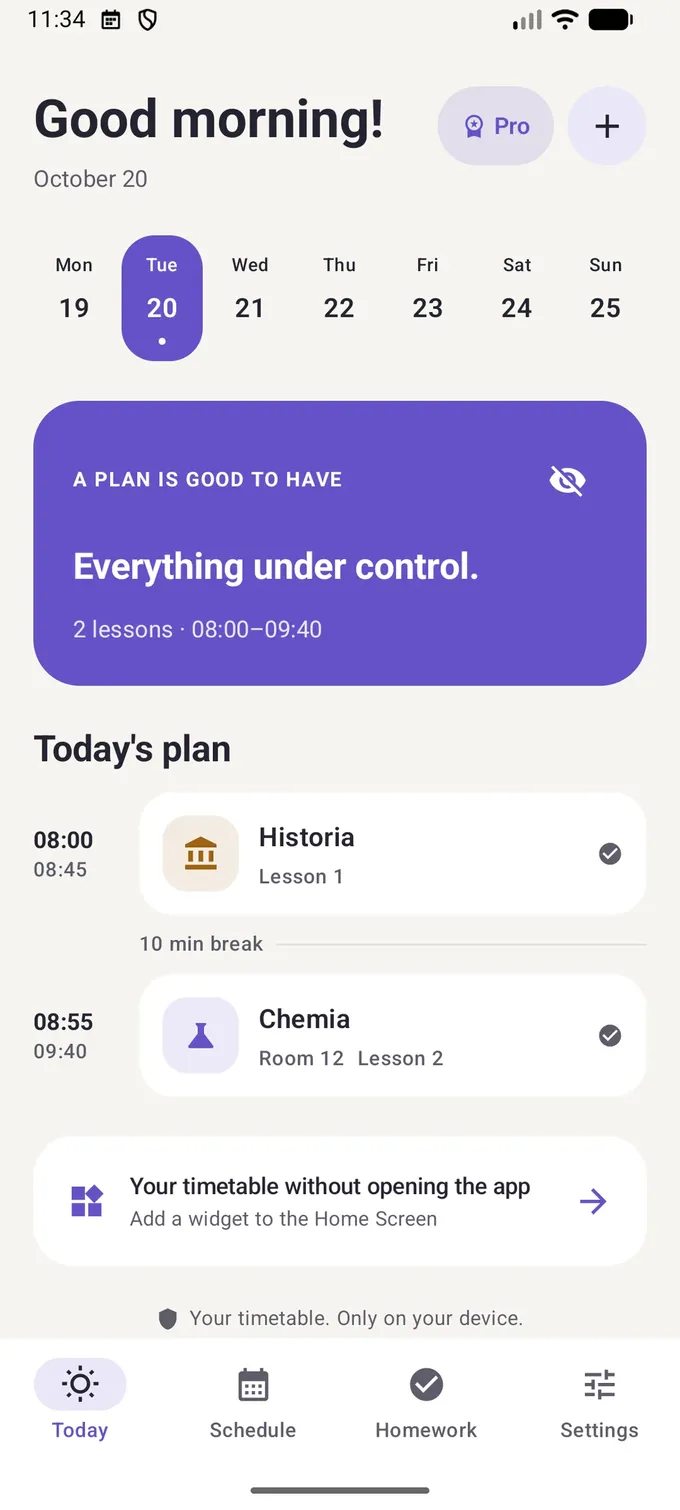
Take the photo once – Lekto reads the days, times and subjects. Then the current lesson and room are on your Home Screen.
School timetable app · iPhone & Android
Your current lesson and room on a widget, homework pinned to the right lesson, and a test reminder two days ahead. Week A / week B timetables included.
Sound familiar?
Lekto is not another calendar. It fixes the four things that wreck a student's week.
Take the photo once – Lekto reads the days, times and subjects. Then the current lesson and room are on your Home Screen.
Pin each task to a specific lesson. You see it exactly when you look at that subject in your timetable.
Lekto reminds you ahead of the test (2 days by default) and shows tomorrow's lessons in the evening – never during class.
Set up your two-week timetable once. Lekto counts the weeks itself, even if your school flips the order.
How it works
No sign-up and no typing every lesson by hand.
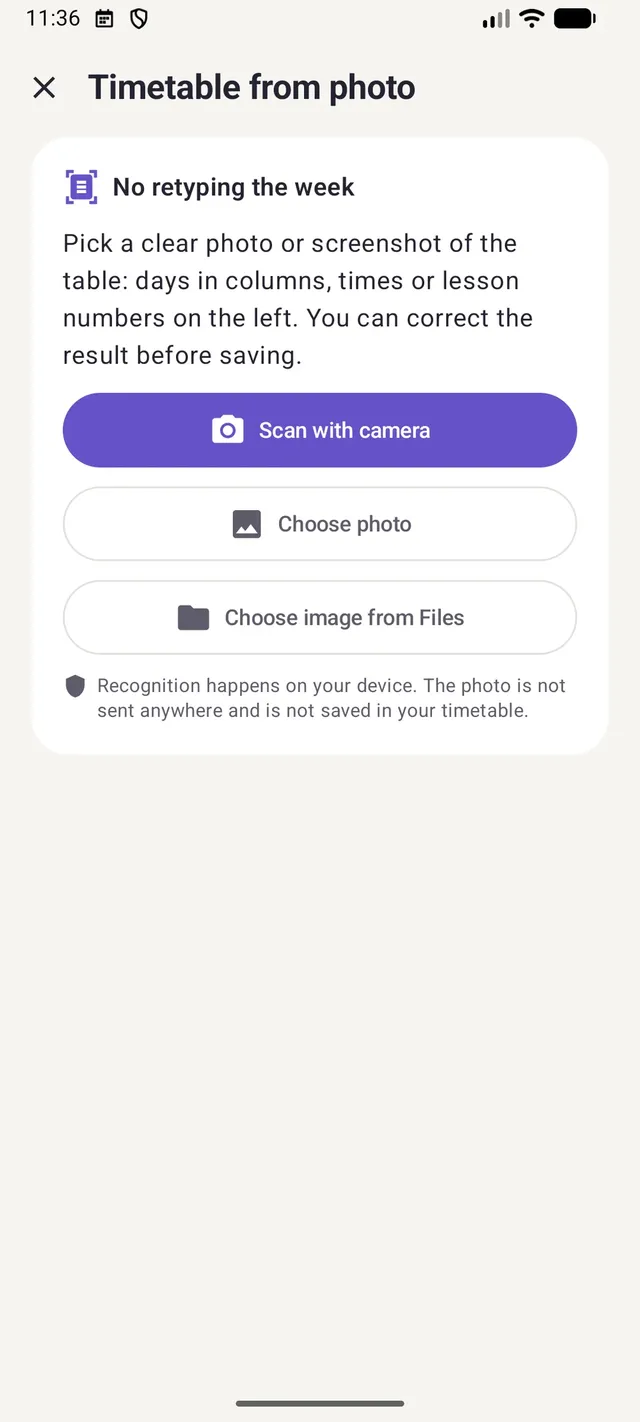
Scan the printout or pick a screenshot. Recognition runs on your phone.
You get a preview of every lesson. Uncertain fields are marked so you can fix them before saving.
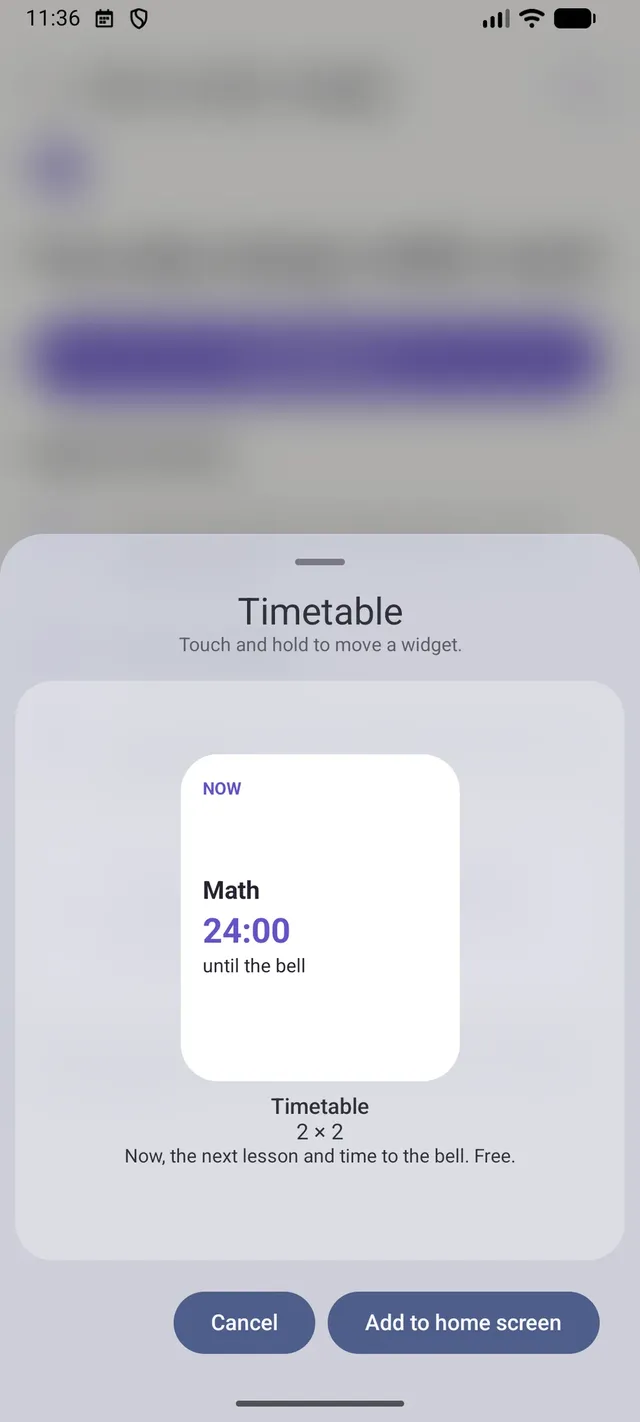
Your Home Screen shows what's on now, what's next and a countdown to the bell.
Tomorrow's lessons in the evening, the first room in the morning, tests in advance. Each reminder has its own switch.
Prefer not to use a photo? The quick setup builds a whole week in a few taps.
Timetable from a photo
Lekto reads tables with days in columns and times or lesson numbers on the left. It all happens on your phone – the photo is never uploaded.
Timetable widget
The widget shows what's on now, what's next and in which room. On iPhone the countdown also lives on the Lock Screen and in the Dynamic Island (Pro).
Everything in one timetable
Every feature answers a situation every secondary-school and university student knows.
Homework, quizzes and tests pinned to a lesson. Unfinished tasks move to the next lesson of that subject.
Permanent ("squared notebook") or just for one day ("bring a compass").
Tomorrow's plan in the evening, the first room in the morning, tests 1–7 days ahead. Pause it all for holidays.
Week A / week B counted automatically, with flipped parity and week 53 handled.
Learn moreSend the timetable file over WhatsApp or Messenger. Works between iPhone and Android.
On-device table recognition with a preview and corrections before saving.
Learn moreLive Activity and Dynamic Island on iPhone, an ongoing notification on Android.
A small widget for free; larger widgets and the Lock Screen with Pro.
Learn moreEnglish, Polish, Czech, Hungarian, Norwegian, German, Ukrainian and more. Dark mode and large text.
Privacy
Lekto has no accounts and no ads, and it doesn't track what you do in the app. Your timetable, homework and notes are stored locally. It only goes online for Pro purchases (the store and RevenueCat) and, on Android, Google ML Kit when reading a photo.
Pricing
Timetable, homework, reminders and the photo import are free with no time limit.
Free
forever
$4.99
per year · 3-day free trial
or $6.99 once, for life
US prices; the App Store and Google Play show the price for your country. A purchase on iPhone does not carry over to Android and vice versa.
FAQ
Yes. The timetable, photo import, homework, reminders, the small widget and timetable sharing are free with no time limit. Lekto Pro adds more widgets and the countdown to the bell, as a yearly subscription with a 3-day free trial or a one-time purchase.
No. Lekto works without an account, login or email address. Your timetable is stored only on your phone.
Choose "Timetable from photo", scan the printout or pick a screenshot. Lekto reads days, times and subjects, and you fix uncertain fields before saving. It works best with a printed table with days in columns. Handwriting is not supported.
Yes. Each lesson can repeat every week, only in even weeks or only in odd weeks. Lekto counts the week number itself, and if your school counts the other way round you can flip the parity with one switch.
No. Lekto doesn't import data from school platforms. You can take a screenshot of your timetable there and import it with "Timetable from photo".
Yes. Export the timetable to a file and send it with any messenger. On import Lekto shows a preview and detects conflicts. Files work between iPhone and Android.
iPhone and iPad (App Store) and Android phones running Android 8.0 or newer (Google Play).
Guides
Practical advice on timetables, studying and the school year.
The first guides are on their way.
Take a photo of your timetable, check the result and add a widget. Free, no account, no ads.
Lekto for Android is coming to Google Play very soon.